Best Fonts, Colors & Layouts for Custom Sticker Design: A Visual Guide
Master sticker typography, color palettes, and layout composition with this visual guide to creating custom sticker designs that look professional at any size.
Camille Dupont
Creative Director at RareCustom. BFA from RISD with 9+ years in graphic design. Camille's typography expertise has been featured in Communication Arts and Print Magazine.
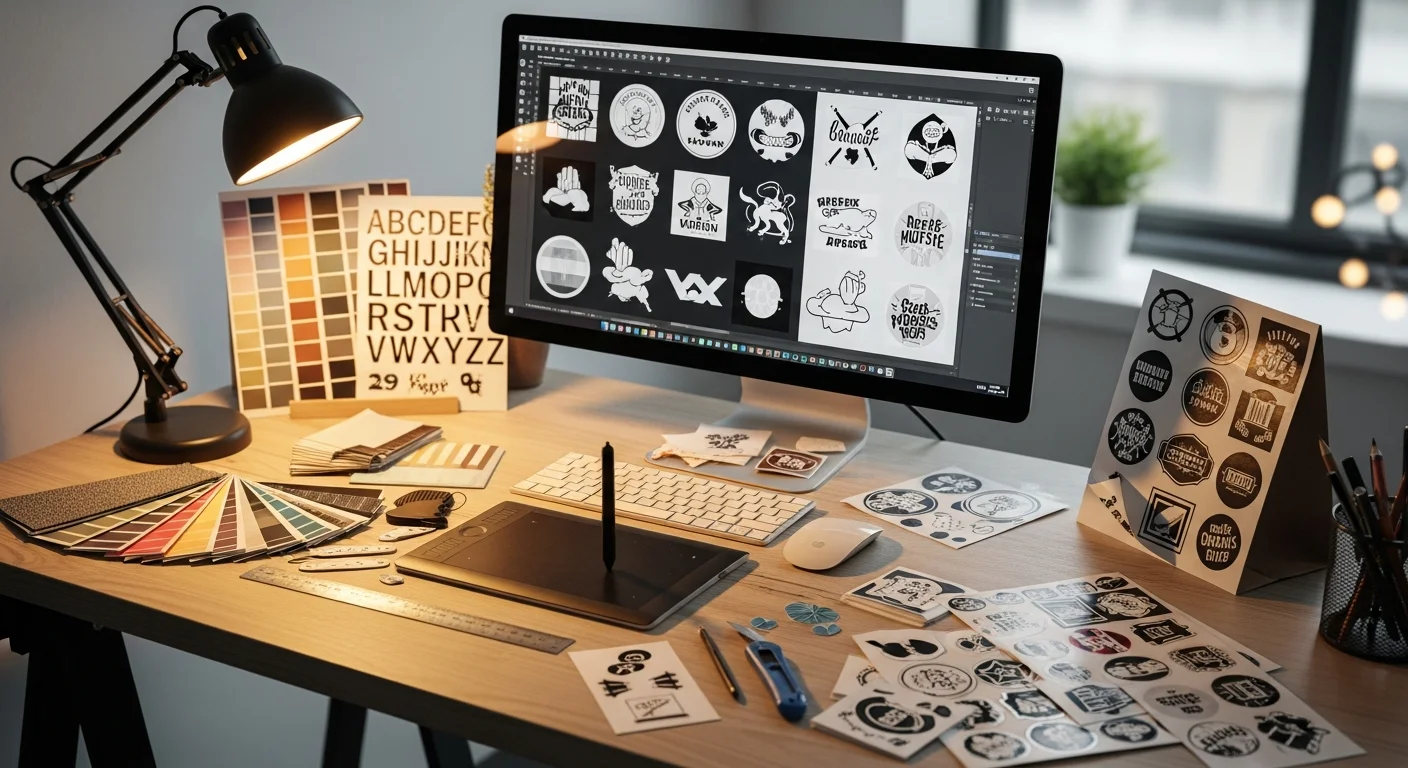
A custom sticker is one of the smallest canvases you will ever design for, and that constraint makes every design decision — font choice, color selection, layout composition — disproportionately important. A font that reads beautifully on a poster may become illegible when reduced to a 2-inch sticker. A color palette that pops on a monitor may turn muddy when printed on vinyl at sticker scale. The best fonts for stickers, the most effective sticker color palette choices, and the smartest sticker layout composition principles all share one trait: they account for the reality that stickers are viewed at arm's length, in varied lighting conditions, on surfaces the designer cannot control. This guide gives you the practical sticker typography, color theory, and layout knowledge to design stickers that look sharp, read clearly, and communicate instantly — whether the sticker is a 1-inch envelope seal or a 4-inch laptop decoration.
Sticker design at scale is fundamentally different from designing for screens, large-format prints, or even business cards. The reduced canvas amplifies every flaw — thin fonts disappear, low-contrast colors merge, and cluttered layouts become visual noise. Conversely, bold choices that might feel heavy on a poster feel exactly right at sticker dimensions. Understanding readable fonts at small sizes, high-contrast sticker color theory, and clean sticker layout principles transforms a mediocre sticker into a professional one. Whether you are designing your first custom sticker or your fiftieth, revisiting these fundamentals ensures consistently excellent results. If you are brand new to the sticker design process, start with our beginner's guide, then return here for the design deep-dive.
Why Design Matters More at Small Sizes
Stickers are small. That single fact drives every design principle in this guide. At 2 to 3 inches, a sticker contains roughly 4 to 7 square inches of printable area — less than a business card and orders of magnitude smaller than a poster. Every element must earn its place on the canvas because there is no room for decoration that does not serve communication.
When designing for 2 inch stickers or designing for 1 inch stickers, the physics of human vision become a critical design constraint. The average person can resolve 1-point line weights at a viewing distance of 12 inches, but at 24 inches (typical laptop-on-desk distance), anything below 2 points becomes invisible. Sticker design at scale requires thicker lines, larger type, fewer colors, and simpler compositions than equivalent designs intended for larger formats.
The principle is counterintuitive: less is more at small sizes. A sticker with one bold word, one strong color, and one clean shape will always outperform a sticker crammed with detailed illustrations, multiple font sizes, and gradient backgrounds. The best sticker designers embrace constraints as creative catalysts.
Top 10 Fonts That Work on Stickers
Sticker typography requires fonts that maintain legibility and visual impact at reduced sizes. The best fonts for stickers share several characteristics: generous letter spacing, open counters (the enclosed spaces within letters like "o" and "e"), consistent stroke widths, and strong personality even at small point sizes.

Sans-Serif Sticker Fonts
1. Montserrat Bold: A geometric sans-serif with clean lines and excellent readability at small sizes. Its wide letterforms and open counters make it the go-to sans-serif sticker font for brand names and taglines.
2. Futura Bold: A classic geometric typeface with perfectly circular "O" shapes that work beautifully on round stickers. Futura's clean geometry pairs well with die-cut circular layouts.
3. Poppins Semi-Bold: A friendly, rounded sans-serif that reads clearly at any size. Poppins brings warmth without sacrificing professionalism — ideal for event stickers, food labels, and personal brands.
4. Inter Medium: Designed specifically for screen readability, Inter translates exceptionally well to small print because its letterforms were optimized for clarity at small sizes from day one.
Bold Display Fonts
5. Bebas Neue: A tall, condensed display font that maximizes text within narrow sticker shapes. Bebas Neue works best for short words and phrases — band names, product labels, single-word stickers.
6. Impact: Despite its ubiquity, Impact remains one of the most readable fonts at small sizes because of its ultra-heavy weight and tight letter spacing. Best used sparingly for one or two words.
Hand-Lettered Sticker Fonts
7. Pacifico: A casual brush script with thick strokes that maintain readability at sticker sizes. Pacifico works well for lifestyle brands, surf shops, food stickers, and casual event labels.
8. Satisfy: An elegant connected script with moderate stroke contrast. Use Satisfy for wedding stickers, formal event labels, and premium product branding where a personal touch is desired.
Serif Fonts for Stickers
9. Playfair Display Bold: A high-contrast serif with elegant details that survive at sticker sizes thanks to its bold weight. Best for luxury branding, wine labels, and sophisticated event stickers.
10. Libre Baskerville Bold: A robust transitional serif designed for body text but equally effective at display sizes on stickers. Its generous x-height ensures readability even at 8-point size on small stickers.
Font Pairing Rules for Stickers
Most stickers benefit from no more than two fonts — a title font for the primary message and an optional secondary font for supporting text. Font pairing for stickers follows a simple rule: pair contrast, not similarity. Combine a bold display font with a clean sans-serif, or a decorative script with a sturdy serif.
Effective font pairings for stickers:
- Bebas Neue + Poppins: Bold headline + friendly body text — great for product stickers
- Pacifico + Montserrat: Casual script + geometric sans — ideal for lifestyle and event stickers
- Playfair Display + Inter: Elegant serif + clean sans — perfect for premium and wedding stickers
- Impact + Futura: Maximum-weight display + refined geometric — punchy and modern
Maximum font count: Never use more than two fonts on a single sticker. Three or more fonts create visual chaos on a small canvas. If your design requires visual hierarchy beyond two levels, achieve it through font weight (bold vs. regular) and font size rather than additional typefaces.
Color Theory for Custom Stickers
Color psychology stickers rely on the same principles as any visual medium, but the small canvas and the uncontrollable background surface add unique constraints. A sticker applied to a white laptop reads differently than the same sticker on a dark water bottle — and your color choices need to work in both scenarios.
High-contrast sticker design is the single most important color principle. Maximum contrast between text and background ensures readability on any surface. Dark text on a light background (or vice versa) with a contrast ratio of at least 4.5:1 meets accessibility guidelines and ensures your sticker communicates its message regardless of the application surface.
CMYK color selection matters for print accuracy. Colors designed in RGB on a monitor may shift when converted to CMYK for printing. Saturated blues can appear duller, bright greens may lose vibrancy, and neon colors cannot be reproduced in standard CMYK at all. Design in CMYK from the start, or work with Pantone for stickers when exact color matching is essential for brand consistency.
Warm vs cool palette considerations depend on the sticker's purpose. Color psychology stickers for food brands benefit from warm tones (reds, oranges, yellows) that stimulate appetite and energy. Tech brands typically perform better with cool tones (blues, teals, grays) that convey trust and innovation. Lifestyle and creative brands can use either palette — or both — depending on their specific personality. For deeper exploration of brand color sticker strategies, see our design ideas guide.
Color Palettes That Pop
Effective sticker color palette selections use two to four colors maximum. More than four colors on a sticker-sized canvas creates visual clutter and increases printing costs (though digital printing makes multi-color designs affordable, the design constraint remains).

Proven color combinations for stickers:
- Black + Yellow: Maximum readability and visibility. Used by warning signs, taxi services, and bold lifestyle brands. The highest-contrast combination outside of black and white.
- Navy + White + Gold: Classic, sophisticated, and versatile. Works for corporate branding, wedding stickers, and premium product labels.
- Coral + Teal: Complementary colors that create vibrant visual energy without being garish. Popular for lifestyle, wellness, and creative brands.
- White + One Accent Color: The minimalist approach. A white sticker with a single bold accent color (red, blue, green, orange) draws the eye to the design without competing elements.
- Pastel Palette: Soft pinks, mints, lavenders, and creams create a gentle, approachable aesthetic for children's products, bakeries, and wellness brands.
- Earth Tones: Olive, terracotta, sand, and cream create a natural, organic feel for eco-friendly brands, outdoor companies, and artisanal products.
Die-Cut Shape Design Principles
When designing for die-cut sticker layout, the sticker's outline becomes an integral part of the design itself. The silhouette communicates before the viewer even reads the text or interprets the illustration.

Silhouette readability: A well-designed die-cut sticker has a silhouette that is recognizable even without seeing the internal artwork. If someone sees your sticker from across a room, the outline alone should hint at the subject — a guitar, a coffee cup, a mountain range, a face.
Structural integrity: Avoid thin peninsulas, deep concavities, and sharp points in the die-cut contour. These features are fragile, difficult to peel, and prone to tearing. Every protrusion should be at least 0.25 inches wide at its narrowest point.
Negative space in sticker design: Leave breathing room between the artwork edges and the die-cut line. A minimum of 0.0625 inches (1/16 inch) between the printed area and the cut line prevents ink from bleeding to the edge and provides a clean white border effect that makes the design pop against any surface.
For more on choosing between die-cut and other cutting methods, see our sticker types comparison.
White Border vs Borderless Design
The decision between a white border effect and a borderless die-cut design fundamentally changes how a sticker looks on different surfaces.

White border stickers have a thin (typically 1/16 to 1/8 inch) white margin between the printed artwork and the die-cut edge. This border:
- Creates a clean visual separation between the sticker and its application surface
- Makes the sticker design pop on both dark and light surfaces
- Provides a safety margin for minor cutting misalignment
- Gives the sticker a polished, finished look that reads as intentional and professional
Borderless die-cut design extends the artwork all the way to the cut edge, creating the illusion that the design is painted directly on the surface. This approach:
- Creates a more immersive, premium appearance
- Works best on light or neutral surfaces where the edge of the artwork provides its own visual boundary
- Requires precise printing and cutting alignment — any misregistration is immediately visible
- Needs a print bleed of at least 1/8 inch beyond the cut line to prevent white slivers
Recommendation: Start with a white border for your first sticker designs. The border is forgiving of minor production variances and looks consistently good on any surface. Graduate to borderless designs once you are confident in your file preparation and have verified results with a test print.
Sticker Sheet Composition
Sticker sheet composition applies principles of visual hierarchy and balance to arrange multiple stickers on a single backing sheet. A well-composed sticker sheet looks attractive as a whole — even before individual stickers are peeled off — and guides the viewer's eye through the designs in a deliberate sequence.
Hierarchy through size: Place the largest, most important sticker in the center or upper portion of the sheet. Surround it with medium-sized supporting stickers and fill remaining space with small accent stickers. This creates a clear focal point and makes the sheet feel designed rather than randomly arranged.
Grouping by theme: If the sheet contains diverse designs, group related stickers together. Place all food-related stickers in one area, all typographic stickers in another, and all icon stickers in a third section. Grouping helps customers quickly find the sticker they want to peel first.
Spacing and breathing room: Leave at least 0.125 inches between stickers for clean kiss-cutting and easy peeling. Dense packing saves material but makes individual stickers harder to peel — frustrated customers remember the poor experience, not the cost savings. Clean sticker layout with generous spacing communicates quality.
Background color: The sheet's backing paper is visible between stickers and around the edges. Consider printing a subtle pattern, brand watermark, or solid color on the backing to make the entire sheet feel cohesive. This elevates the perceived value of sticker packs sold at retail or included with orders.
Common Design Mistakes to Avoid
Even experienced designers make errors when working at sticker scale. Here are the most frequent mistakes and how to prevent them.

Mistake 1: Using thin fonts. Fonts with thin strokes (like Didot Light or Helvetica Thin) disappear at sticker sizes. Always use medium or bold weights. If your brand font is a thin weight, increase the stroke weight or switch to a bolder member of the same family for sticker applications.
Mistake 2: Too many colors. More than four colors on a sticker creates visual chaos. Reduce your palette to two or three primary colors plus one accent. Print-ready sticker design benefits from restraint — fewer colors printed at higher saturation always outperform many colors at moderate saturation.
Mistake 3: Ignoring print bleed. Forgetting to extend artwork beyond the trim line results in white slivers at the sticker edge after cutting. Always include at least 0.125 inches of bleed on all sides of your design.
Mistake 4: Low resolution images. Using images below 300 DPI at final print size results in pixelation and blurriness that looks unprofessional. Always check resolution at 100 percent zoom before finalizing your print-ready sticker design.
Mistake 5: Text too close to the edge. Critical text placed within 0.125 inches of the cut line risks being partially trimmed. Keep all important text and elements within the safe zone — 0.125 inches inside the trim line.
Mistake 6: Designing in RGB. RGB color mode includes colors that CMYK printing cannot reproduce. Neon greens, electric blues, and hot pinks will shift significantly when printed. Design in CMYK from the start, or at minimum convert and review before sending to print. CMYK color selection ensures what you see on screen closely matches what you receive in print.
Mistake 7: Overcrowding the canvas. Filling every square millimeter with content — text, illustrations, patterns, logos — makes the sticker feel claustrophobic. Breathing room and negative space in sticker design are not wasted space; they are active design elements that direct the viewer's eye and create visual comfort.
Design Your Custom Stickers
Great sticker design comes down to mastering the fundamentals: choose readable fonts at small sizes, build a high-contrast sticker color palette of two to four colors, and compose a clean sticker layout with ample breathing room. These principles apply whether you are designing a 1-inch seal or a 4-inch laptop sticker, a single design or a full sticker sheet composition.
Ready to put these principles into practice? Open our free sticker design tool to start creating. Upload your artwork, experiment with fonts and colors, preview at actual size, and order with confidence. Or explore our full range of custom sticker products to see how different materials and finishes bring your designs to life.
Related Articles
Share this article
Written by
Camille Dupont
Creative Director at RareCustom. BFA from RISD with 9+ years in graphic design. Camille's typography expertise has been featured in Communication Arts and Print Magazine.