How to Design Custom Stickers: The Complete Beginner's Guide
Learn to design custom stickers from scratch — choose materials, pick shapes, upload artwork, and order. No minimums, free design tools, and fast shipping for personalized stickers.
Jordan Reeves
Brand Experience Strategist at RareCustom. BFA in Graphic Design from Parsons School of Design with 8+ years helping brands craft visual identities. Specialist in color theory, layout composition, and design systems.
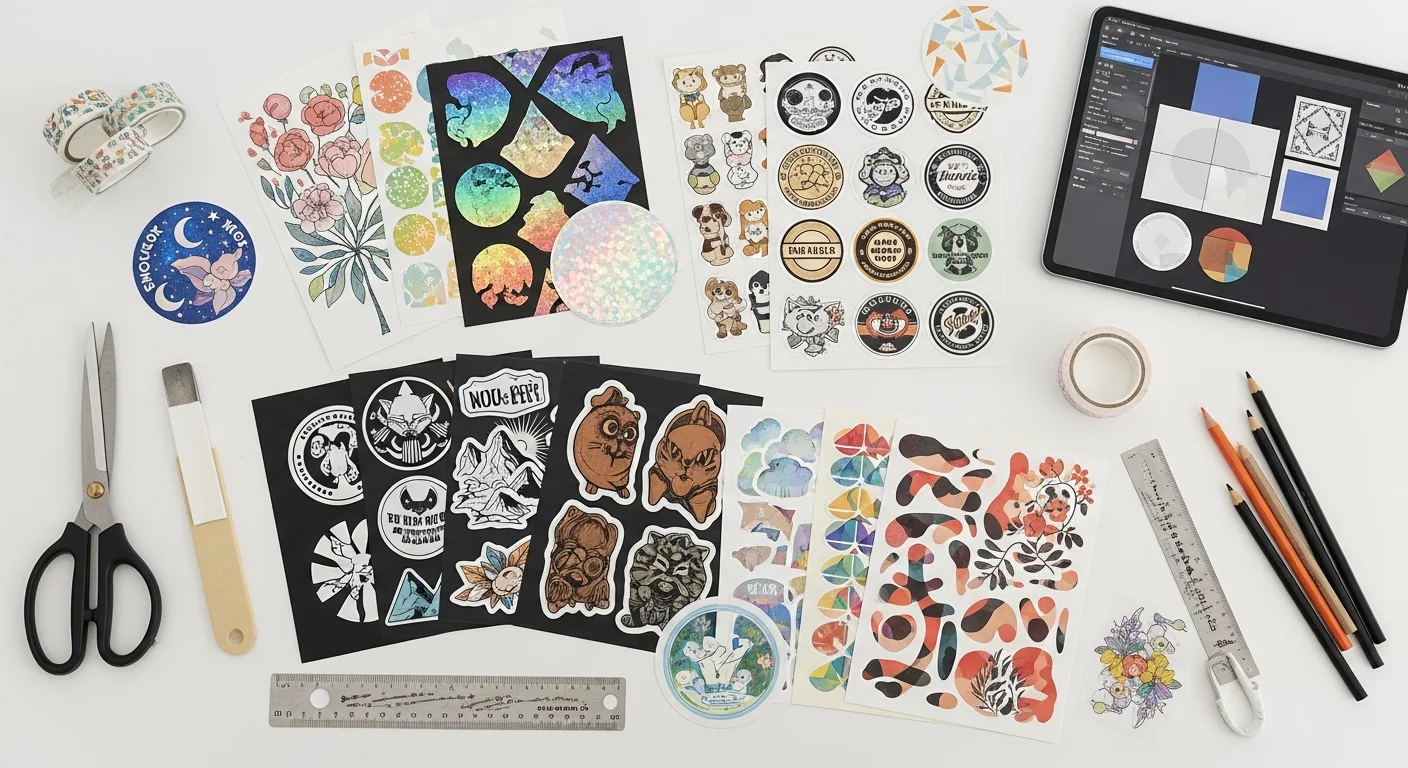
Designing a custom sticker is one of the most accessible ways to turn an idea into a tangible, shareable product. Whether you want to promote a brand, personalize a laptop, or create party favors for an upcoming event, the custom sticker design process involves a handful of decisions — material, shape, finish, file preparation — that determine how professional the final product looks and how long it lasts. This personalized sticker guide walks through every step from blank canvas to finished sticker, so even someone who has never opened a design tool can create your own stickers with confidence. Unlike printing on apparel such as custom t-shirts or drinkware like custom tumblers, stickers offer an incredibly low barrier to entry with no minimum order stickers and turnaround times as fast as three business days.
The global sticker and label market is projected to exceed $60.5 billion by 2027, driven by demand for personalization, e-commerce packaging, and brand merchandising. For individuals, stickers have become a primary form of self-expression — 78 percent of Gen Z consumers say they use stickers to decorate personal items at least once a month. For businesses, a single branded sticker costs as little as $0.08 per unit in quantity and delivers an estimated 5,000 to 10,000 impressions over its lifetime, making stickers one of the lowest cost-per-impression marketing tools available. Whether the goal is a single sticker printing order for a personal project or 5,000 die-cut stickers for a product launch, understanding sticker customization options, file requirements, and material choices from the start prevents costly mistakes and ensures results that match what appeared on screen.
Why Custom Stickers Are Everywhere in 2026
Custom stickers have become one of the most versatile and cost-effective personalized products on the market. The sticker industry has grown at a compound annual growth rate of 5.3 percent since 2020, and 2026 marks the year that sticker customization options have reached a level of sophistication once reserved for professional print shops. Today, anyone with a smartphone photo or a simple logo can create your own stickers in minutes using browser-based design tools — no graphic design degree required.
Several factors drive this growth. First, stickers deliver the lowest cost-per-impression of any branded product. A well-placed vinyl sticker on a laptop or water bottle generates an average of 15 to 20 daily impressions for three to five years, resulting in more than 20,000 total impressions from a single item that costs less than a dollar to produce. Second, the rise of e-commerce has made packaging stickers essential for small businesses. Over 72 percent of consumers say that branded packaging influences their perception of a product, and a custom logo sticker on a shipping box or poly mailer is the simplest way to achieve that premium unboxing experience. Third, the self-expression economy fueled by social media means that personalized stickers for laptops, water bottles, phone cases, and journals are now a mainstream accessory category rather than a niche hobby.
Beyond individual use, organizations of every size rely on stickers for event branding, product labeling, safety compliance, window displays, vehicle identification, and guerrilla marketing. The combination of low cost, high visibility, and universal appeal is why custom stickers now outpace many traditional promotional products including pens, keychains, and magnets in year-over-year growth.
Understanding Sticker Types
Choosing the right sticker type is the first major decision in the custom sticker design process, and it determines the sticker's appearance, packaging format, and cost. A die-cut sticker is cut through both the sticker material and the backing paper to match the exact contour of the design. The result is an individual die-cut sticker with a clean, custom shape die-cut silhouette and no extra background material. Die-cut stickers look premium and are the most popular choice for brand logos, laptop stickers, and retail merchandise.
A kiss-cut sticker is cut through only the sticker material, leaving the backing paper intact as a full rectangle or square sheet. This makes a kiss cut sticker sheet easy to peel — simply lift the sticker from the corner of the backing paper. Kiss-cut is the preferred format for sticker sheets with multiple designs one sheet, sticker packs, and promotional giveaways because the backing provides a convenient carrier and can include branding or usage instructions. For a detailed breakdown of every cut type, read the die-cut vs kiss-cut vs clear stickers comparison.
Clear stickers are printed on transparent vinyl film, creating a see-through effect where only the printed design is visible on the application surface. They deliver a premium, no-background look on glass, windows, and light-colored surfaces. Transfer stickers use a carrier sheet to hold multi-piece designs together during application — each letter or element adheres individually to the surface, producing a professional vinyl lettering effect ideal for signage and vehicles.

Choosing Your Sticker Material
Vinyl is the most popular sticker material for good reason. A waterproof custom sticker made from white or clear vinyl is outdoor-rated for three to five years, UV-resistant, and dishwasher safe when laminated. Vinyl sticker printing produces vibrant colors on a smooth, slightly flexible surface that conforms to curved objects like water bottles, bumpers, and helmets. Standard vinyl thickness ranges from 3mil to 4mil, striking a balance between durability and flexibility.
Paper stickers are the most affordable option and work best for indoor applications. Coated paper provides a semi-gloss surface with good color reproduction, while uncoated kraft paper delivers a natural, eco-friendly aesthetic popular with handmade brands and farmers' market vendors. Paper stickers are not waterproof and have a shorter lifespan, but their low cost makes them ideal for small batch stickers, envelope seals, and planner accessories.
BOPP (Biaxially Oriented Polypropylene) is a film-based material that offers water resistance and tear resistance at a lower cost than vinyl. BOPP stickers are commonly used for product labels, food packaging, and cosmetic containers because they meet FDA-compliance requirements and resist moisture, oils, and light abrasion. For a deep dive into each material's strengths, read the vinyl vs paper vs BOPP sticker materials guide.
Designing Your First Custom Sticker Step by Step
The custom sticker design process breaks down into five straightforward steps that take most beginners 10 to 20 minutes to complete. Step 1: Define your purpose. A sticker for brand packaging has different requirements than a sticker for personal expression or event decoration. Knowing the end use determines the type, material, size, and finish you should select. Common purposes include product branding, laptop and water bottle decoration, packaging seals, event favors, and retail merchandise.
Step 2: Choose your sticker type and shape. Decide between die-cut, kiss-cut, clear, or transfer based on how the sticker will be packaged and applied. For custom sticker shapes, popular options include circles (1.5 to 3 inches in diameter), rectangles, rounded rectangles, ovals, and fully custom contours that follow the outline of your artwork. Standard sticker dimensions range from 1 inch by 1 inch for small logo stickers to 6 inches by 4 inches for bumper stickers, with sticker size options available in virtually any dimension between.
Step 3: Create or upload your artwork. Open the RareCustom design tool for stickers, which provides sticker-specific templates with accurate print area dimensions, cut line guides, and real-time mockup previews. You can upload logo to sticker designs in PNG, SVG, or PDF format, or use the built-in text and shape editors to design from scratch. The tool automatically checks resolution and warns if artwork is below the minimum 300 DPI requirement.
Step 4: Set dimensions and adjust layout. Scale your design to the desired sticker size, center key elements within the safe zone, and extend background artwork to the bleed area. The design tool displays the contour line sticker path in real time so you can see exactly where the die-cut or kiss-cut will land.
Step 5: Preview your mockup and place your order. Review the digital proof, checking for color accuracy, text legibility, and safe zone compliance. Once satisfied, select your quantity — from a single sticker printing order to thousands — and proceed to checkout. Production typically takes three to five business days, followed by standard or expedited shipping.

File Format Requirements for Sticker Printing
Understanding sticker file format requirements ensures that the design you see on screen matches the product that arrives in the mail. PNG is the most common and recommended format for custom sticker printing. PNG for stickers supports transparency (essential for clear and die-cut stickers), handles photographic detail well, and preserves sharp edges on text and line art. Save your files as PNG-24 at a minimum of 300 DPI at the final print size. For a 3-inch by 3-inch sticker, that means the image should be at least 900 by 900 pixels.
SVG is the ideal format for logos, icons, and text-based designs. An SVG vector sticker file is mathematically defined rather than pixel-based, which means it can be scaled to any size — from a 1-inch circle to a 12-inch car decal — without any loss of sharpness. If you have a vector version of your logo, SVG is always the preferred upload format. PDF is a print-ready format that preserves fonts, colors, and layout precisely as designed. Many professional designers deliver print-ready PDFs with embedded CMYK color profiles, bleed areas, and crop marks already in place.
AI and EPS are professional vector formats from Adobe Illustrator. These are fully supported but less commonly used by beginners. Regardless of format, all files should be saved in CMYK color mode for the most accurate color reproduction, as RGB files may shift slightly during the conversion process. If you are unsure about color accuracy, request a physical proof before placing a full order.

Understanding Bleed, Trim, and Safe Zones
The concepts of bleed and trim marks are among the most important — and most frequently misunderstood — aspects of sticker design. The trim line is the exact path where the sticker will be cut. For a die-cut sticker, this follows the contour of the design; for a kiss-cut, it follows the inner sticker shape while leaving the rectangular backing intact.
The bleed area extends 0.125 inches (1/8 inch) beyond the trim line in every direction. Any background color, pattern, or image that should reach the very edge of the sticker must extend into this bleed zone. Without proper bleed, slight variations in the cutting process can leave a thin white border sticker edge that looks unprofessional. A full-bleed sticker design eliminates this risk entirely by ensuring that artwork extends past the cut path.
The safe zone sits 0.125 inches inside the trim line. All critical content — text, logos, important details — must remain within the safe zone sticker design boundary to avoid being clipped during cutting. This is especially important for contour line sticker designs with complex shapes, where even a 1-millimeter cutting deviation can remove part of a letter or logo element. For best results, keep all essential elements at least 0.125 inches from the nearest cut edge, and extend all backgrounds to the full bleed boundary.
Choosing the Right Finish
The finish you select changes the sticker's appearance, durability, and perceived value. Understanding the glossy vs matte sticker finish decision is one of the simplest ways to elevate a design from ordinary to professional.
Glossy finish produces vibrant, saturated colors with a reflective surface that catches light. Glossy stickers make photographic images and colorful illustrations pop, and they naturally resist fingerprints better than uncoated surfaces. However, gloss can create glare under direct lighting, which may reduce readability in certain environments. Glossy is the most popular choice for product labels, brand stickers, and any design where color intensity is the priority.
Matte finish delivers a smooth, non-reflective surface with a sophisticated, understated look. Matte stickers eliminate glare entirely, making them ideal for text-heavy designs, minimalist aesthetics, and applications where the sticker will be photographed frequently (such as packaging for social media brands). A laminate coating in matte also adds a velvety tactile quality that many customers associate with premium products.
Holographic finish adds a rainbow shimmer effect that shifts color as the viewing angle changes. Holographic stickers command attention and create a premium, collectible feel — they are among the highest-engagement sticker types on social media. Spot UV finish applies a selective gloss coating to specific design elements while keeping the rest matte, creating a tactile contrast that highlights logos, text, or illustrations. For a comprehensive guide to specialty finishes, see the holographic and specialty finish stickers guide.

Common Beginner Mistakes to Avoid
Even simple sticker design mistakes can result in a product that looks significantly different from what appeared on screen. The most common error is low-resolution artwork. Any image below 150 DPI at the final print size will appear pixelated and blurry on the finished sticker. Always verify that your source file is at least 300 DPI — smartphone photos from the last five years generally meet this threshold, but images downloaded from social media platforms are almost always too compressed.
Missing bleed is the second most frequent issue. When artwork does not extend past the trim line, the finished sticker may show a thin white edge where the cutting blade passed slightly outside the design boundary. Adding 0.125 inches of bleed in every direction eliminates this problem entirely. Closely related is text too close to the cut line. Any text or critical element within the bleed and trim marks area risks being partially or fully clipped during production.
Using RGB color mode instead of CMYK is a subtle but impactful mistake. RGB is optimized for screens, while CMYK is optimized for print. Converting from RGB to CMYK can shift bright blues, vivid greens, and neon colors significantly. Designing in CMYK from the start — or reviewing a CMYK proof before ordering — prevents unwanted color surprises. Other common sticker design mistakes include over-complicated designs at small sizes (fine details below 0.5mm may not reproduce clearly), not requesting a proof before a full order, and choosing a finish that does not match the application environment (glossy for outdoor use, unlaminated paper for water bottles).

Ordering Your Custom Stickers
One of the biggest advantages of modern sticker printing is no minimum order quantities. At RareCustom, you can order as few as one sticker or as many as 100,000 — the per-unit price drops significantly at higher quantities, but there is no minimum threshold to meet. This makes single sticker printing and small batch stickers viable for prototyping, personal projects, and testing new designs before committing to a larger run.
The ordering process begins with uploading your design and selecting your specifications: material (vinyl, paper, or BOPP), cut type (die-cut or kiss-cut), finish (glossy, matte, or holographic), and quantity. Once your order is placed, you will receive a digital proof within 24 hours for approval. Production typically takes three to five business days after proof approval, with rush options available for two-day turnaround. Shipping options include standard ground (5 to 7 business days), expedited (2 to 3 business days), and overnight delivery.
For large orders, volume pricing makes custom stickers remarkably affordable. A typical 3-inch die-cut vinyl sticker costs approximately $1.50 per unit at 50 pieces, $0.65 at 250 pieces, $0.35 at 1,000 pieces, and as low as $0.08 at 10,000 pieces. For a complete cost analysis and money-saving strategies, read the custom sticker pricing breakdown. If you are planning a large order, the bulk custom sticker ordering checklist walks through every step from proof approval to delivery.
Application Tips for Best Results
Proper application ensures that your custom sticker looks its best and lasts as long as the material allows. Start by cleaning the application surface with isopropyl alcohol or a mild glass cleaner. Dust, oils, and residue reduce adhesive contact and can cause peeling within days. Allow the surface to dry completely before proceeding.
Peel from the corner, not the center. Lifting a sticker from its corner minimizes the risk of stretching or curling the material. For die-cut stickers, bend the backing paper slightly to release the corner of the sticker, then peel slowly at a 45-degree angle. For kiss-cut stickers on a sheet, use a fingernail or tweezers to lift one corner from the backing.
For stickers larger than 3 inches, use a squeegee or credit card to press the sticker from center to edges, pushing air bubbles outward. If a small bubble remains, prick it with a fine needle and press flat. Temperature matters — apply stickers at room temperature (65 to 75 degrees Fahrenheit) for optimal adhesive performance. Cold surfaces reduce adhesive tack, while excessive heat can cause the sticker to stretch during application. For outdoor applications on vehicles or equipment, allow 24 to 48 hours for the adhesive to reach full bond strength before exposing the sticker to rain, car washes, or high speeds.
Start Designing Your Custom Stickers Today
Creating a custom sticker has never been simpler. With no minimum orders, free browser-based design tools, and production times as short as three business days, you can go from idea to finished product in under a week. Whether you are designing your first laptop sticker, creating branded packaging labels for your small business, or producing thousands of promotional die-cut stickers for a product launch, the process is the same: choose your type, pick your material, upload or create your artwork, and order.
Ready to get started? Open the free sticker design tool to create your design from scratch or upload existing artwork. Or browse all custom sticker options to explore materials, finishes, and pricing for your specific project. From single sticker printing to bulk orders of 10,000 or more, RareCustom handles every step from proof to delivery.
Related Articles
Share this article
Written by
Jordan Reeves
Brand Experience Strategist at RareCustom. BFA in Graphic Design from Parsons School of Design with 8+ years helping brands craft visual identities. Specialist in color theory, layout composition, and design systems.