10 Custom Sweatshirt Mistakes to Avoid (And How to Fix Them)
Avoid the most common custom sweatshirt ordering mistakes. From low-resolution artwork to sizing blunders, learn what goes wrong and how to get perfect results every time.
Marcus Chen
E-Commerce Growth & Merchandising Lead at RareCustom. MBA from Wharton, former Shopify strategist. Marcus has helped 200+ merchants launch custom merchandise lines and specializes in business strategy, bulk ordering, and fundraising programs.
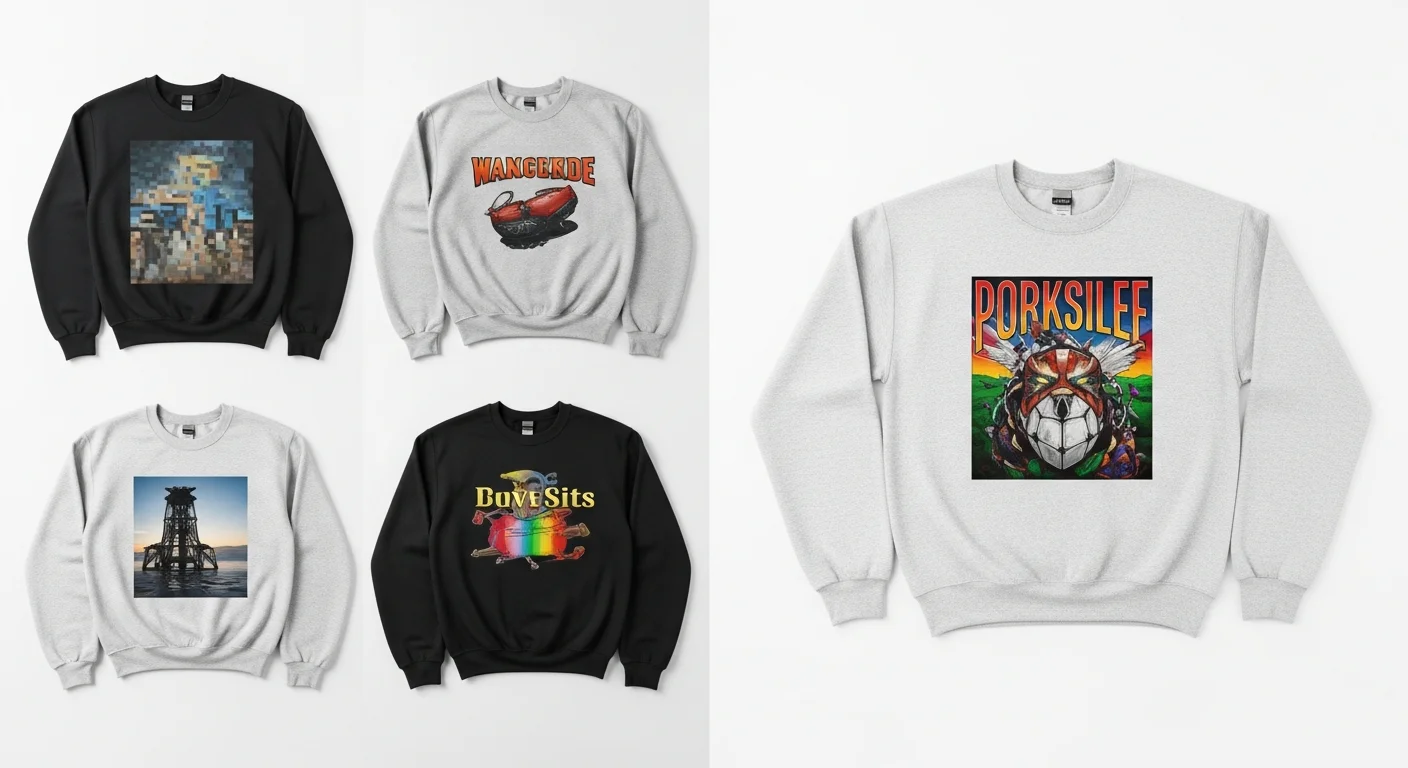
Even experienced buyers make mistakes when ordering custom sweatshirts. The difference between a crewneck you are proud to wear and one that ends up in a donation bag often comes down to a few preventable errors in the design, ordering, or production process. This guide covers the ten most common mistakes and exactly how to avoid each one.
Mistake 1: Low-Resolution Artwork
This is the number one cause of disappointing custom sweatshirts. Artwork that looks sharp on a computer screen may contain only 72 DPI, which is fine for digital display but produces blurry, pixelated prints on fabric. Custom apparel printing requires a minimum of 300 DPI at the actual print size.
How to fix it: Always provide artwork at 300 DPI or higher. Vector files (AI, SVG, EPS) are ideal because they scale to any size without quality loss. If working with raster files (PNG, JPEG), ensure the file dimensions match or exceed the intended print size at 300 DPI.

Mistake 2: Choosing the Wrong Print Method for Your Fabric
Attempting sublimation on a 100% cotton sweatshirt produces washed-out, blurry results because sublimation ink requires polyester fibers to bond properly. Similarly, screen printing a photograph with subtle gradients loses detail because screen printing excels at solid colors, not continuous tones.
How to fix it: Match your print method to your fabric and design. Screen printing for bold, solid-color designs on cotton blends. DTG for photographic and complex multi-color designs. Embroidery for logos and text on heavier fabrics. See our complete printing method comparison for detailed guidance.
Mistake 3: Ignoring Base Color When Choosing Ink Colors
A yellow design on a yellow sweatshirt will be invisible. A light blue design on a white crewneck will appear washed out. Your ink colors need sufficient contrast against the garment color to be visible and impactful.
How to fix it: Always consider how your ink colors will interact with the base garment color. Dark designs on light garments and light designs on dark garments create the strongest visual impact. For subtle designs, use our color theory guide for pairing advice.
Mistake 4: Not Ordering Samples Before Bulk
Committing to 100 crewnecks without seeing a physical sample first is a gamble. Colors on screen rarely match fabric exactly. Print feel, fabric weight, and fit can only be evaluated in person.
How to fix it: For orders of 24 or more, always order a single sample first. Yes, it adds time to the process, but catching issues on one garment is dramatically cheaper than fixing them on a hundred.
Mistake 5: Incorrect Sizing Assumptions
Sweatshirts do not size the same as t-shirts. Different brands have different size charts. An "oversized" cut in one brand is a "standard" cut in another. Assuming your t-shirt size translates directly to sweatshirts leads to fit issues across your order.
How to fix it: Always reference the specific brand's size chart for the blank you are ordering. For group orders, collect individual measurements rather than asking people their "usual size." See our sizing guide for detailed measurement instructions.

Mistake 6: Placing Designs Too Close to Seams
Printing or embroidering too close to shoulder seams, side seams, or the collar creates distorted, wavy results. Seams create uneven surfaces that ink and thread cannot cover smoothly.
How to fix it: Maintain at least a half-inch margin from all seams. For collar proximity, keep the top of your design at least 2 inches below the collar seam on the front and 3 inches on the back.
Mistake 7: Choosing Fonts Too Small or Thin for Fleece
Thin, delicate fonts that look elegant on screen disappear into sweatshirt fleece. The fabric texture absorbs fine details and thin strokes, rendering them unreadable at normal viewing distances.
How to fix it: Use bold or semi-bold font weights. Minimum font size for screen printing on fleece is 14-point. For embroidery, letters must be at least 0.25 inches tall. Our font guide covers the best typefaces for fleece.
Mistake 8: Skipping the Mockup Stage
Going from a flat design file directly to production without seeing it visualized on the garment template leads to placement, sizing, and proportion surprises.
How to fix it: Always generate a digital mockup showing your design on the actual garment shape and color. Our design tool provides real-time mockups that let you adjust before committing.
Mistake 9: Not Accounting for Shrinkage
Cotton and cotton-blend sweatshirts can shrink two to five percent after the first wash, especially with hot water and high-heat drying. If you size based on the pre-wash dimensions, the post-wash fit may be uncomfortably tight.
How to fix it: For 100% cotton crewnecks, consider sizing up or selecting pre-shrunk options. Include care instructions with your order to help recipients maintain the original fit.
Mistake 10: Rushing the Timeline
Custom sweatshirts require design approval, screen setup or digitization, production, quality control, and shipping. Trying to compress this into a few days results in rush fees, overlooked errors, and preventable stress.
How to fix it: Plan for three to four weeks of total lead time for standard orders. For events with fixed dates, start the process six to eight weeks in advance. Check our bulk ordering checklist for a complete timeline breakdown.
Frequently Asked Questions
Can mistakes be fixed after printing?
Unfortunately, most printing and embroidery mistakes cannot be corrected after production. This is why proofing, sampling, and careful preparation before ordering are critical. Prevention is always less expensive than reprinting.
How can I test a design before committing to a full order?
Use our online design tool to create a digital mockup. For physical validation, order a single sample of your custom sweatshirt before placing the full bulk order. This small investment can save you from costly mistakes on the full run.
Share this article
Written by
Marcus Chen
E-Commerce Growth & Merchandising Lead at RareCustom. MBA from Wharton, former Shopify strategist. Marcus has helped 200+ merchants launch custom merchandise lines and specializes in business strategy, bulk ordering, and fundraising programs.