How to Design Custom Phone Cases: The Complete Beginner's Guide
Learn to design custom phone cases from scratch — choose materials, pick your device, upload artwork, and order. No minimums, free design tools, and fast shipping for personalized phone cases.
Jordan Reeves
Brand Experience Strategist at RareCustom. BFA in Graphic Design from Parsons School of Design with 8+ years helping brands craft visual identities. Specialist in color theory, layout composition, and design systems.
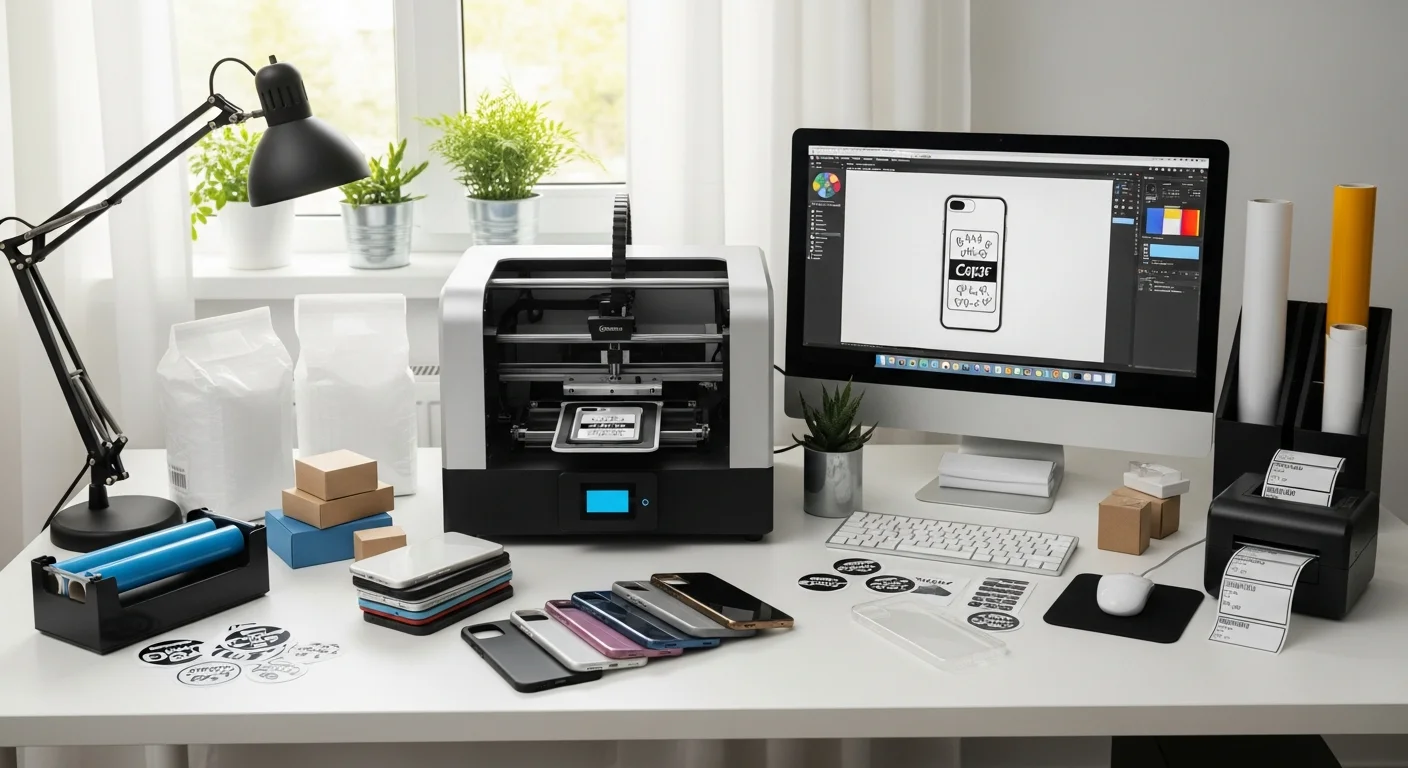
Designing a custom phone case is one of the most rewarding ways to transform a personal accessory into a statement of identity, a branding tool, or a meaningful gift. Whether you want to showcase a favorite photograph, promote a business logo, or simply express your personality through original artwork, the custom phone case design process involves a series of straightforward decisions — selecting a case style, choosing a printing method, preparing your artwork file, and previewing the result before ordering. This personalized case guide walks through every stage of the journey, so even someone who has never used a design tool can create your own phone case with confidence.
The global customized phone case market reached an estimated $11.19 billion in 2025, fueled by the intersection of smartphone ubiquity and consumer demand for personalization. Consider that roughly 68 percent of smartphone owners worldwide use a protective case, and the average owner replaces that case every eight to ten months due to wear, device upgrades, or simply wanting a fresh look. With smartphones checked an average of 96 times per day, a custom phone case delivers more daily visual impressions than virtually any other personal accessory. For businesses, that makes a branded phone case one of the lowest cost-per-impression promotional products available. For individuals, it turns an everyday necessity into a canvas for self-expression. Whether you plan to order a single one-off piece or explore no minimum order phone cases for a group project, understanding phone case customization options from the outset prevents mistakes and ensures results that match what appeared on your screen.
Why Custom Phone Cases Are the Fastest-Growing Personalized Product
Several converging trends have propelled custom phone cases into one of the most popular personalized products on the market. First, the sheer size of the addressable audience is staggering: over 6.9 billion smartphone subscriptions exist worldwide as of 2025, and that number is projected to exceed 7.5 billion by 2028. Of those users, roughly 68 percent regularly use a phone case, creating a total addressable market of more than 4.5 billion case-wearing consumers at any given moment.
Second, the replacement cycle drives repeat purchases. Unlike a piece of wall art or furniture that may last years without replacement, phone cases wear out, crack, discolor, or become outdated whenever a new phone model launches. The typical replacement interval of eight to ten months means that even a single satisfied customer can generate multiple orders per year. For businesses offering branded phone cases as promotional items, this replacement cycle creates recurring brand visibility without additional spend.
Third, the demographics are compelling. Research shows that 38 percent of Gen Z consumers actively seek out customizable products, and personalized phone accessories rank among their top five most-purchased customized items after apparel and stickers. Millennials follow closely behind, with 31 percent reporting they have ordered at least one custom phone case in the past 12 months. The smartphone itself has become a fashion accessory, and the case is the outfit it wears every day.
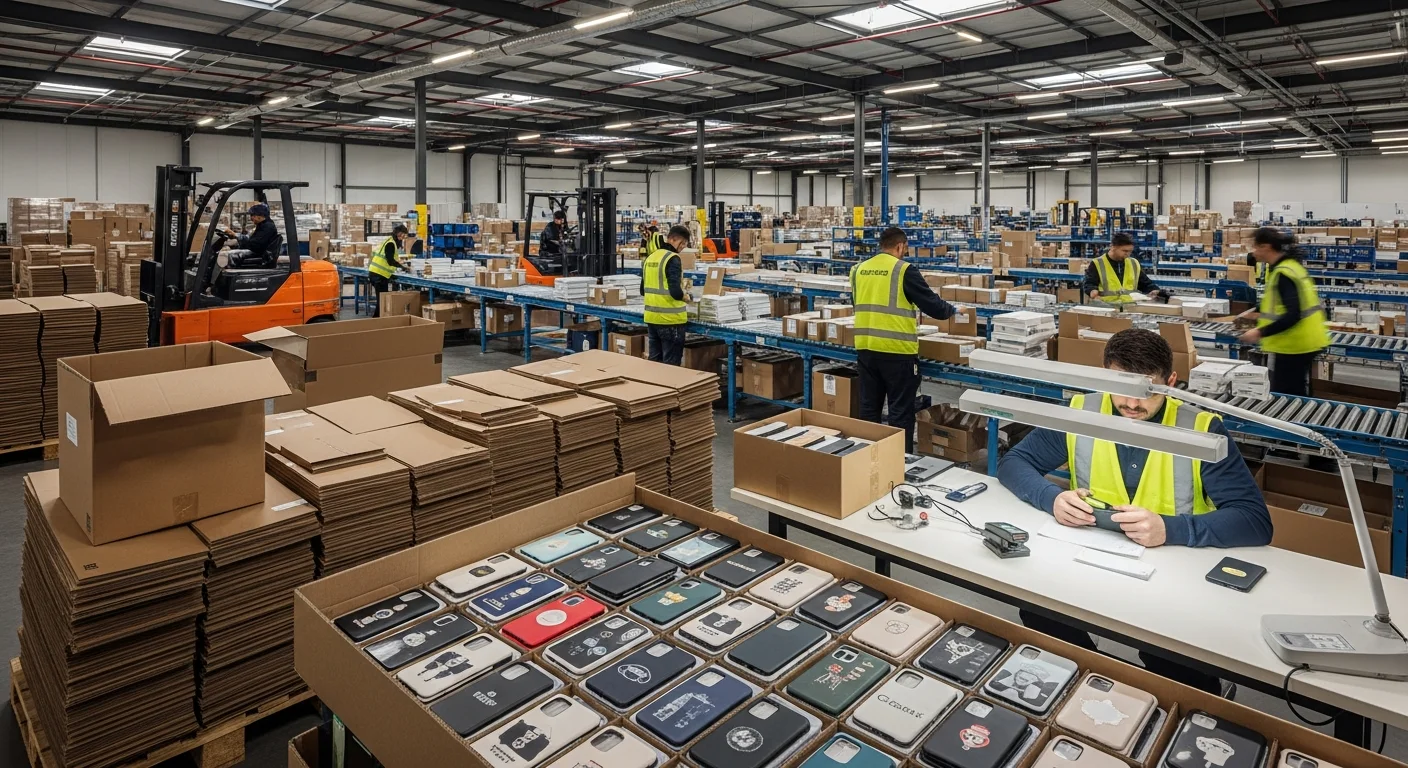
Finally, production technology has made custom phone case printing more accessible, faster, and more affordable than ever. UV printed phone case technology, sublimation phone case transfers, and DTF phone case printing have all matured to the point where a single unit can be produced profitably with no setup costs and no minimum order quantities. What once required industrial screen printing equipment and batch runs of hundreds is now achievable on demand, one case at a time, in as little as two to three minutes of production time per unit.
Understanding Phone Case Types and Styles
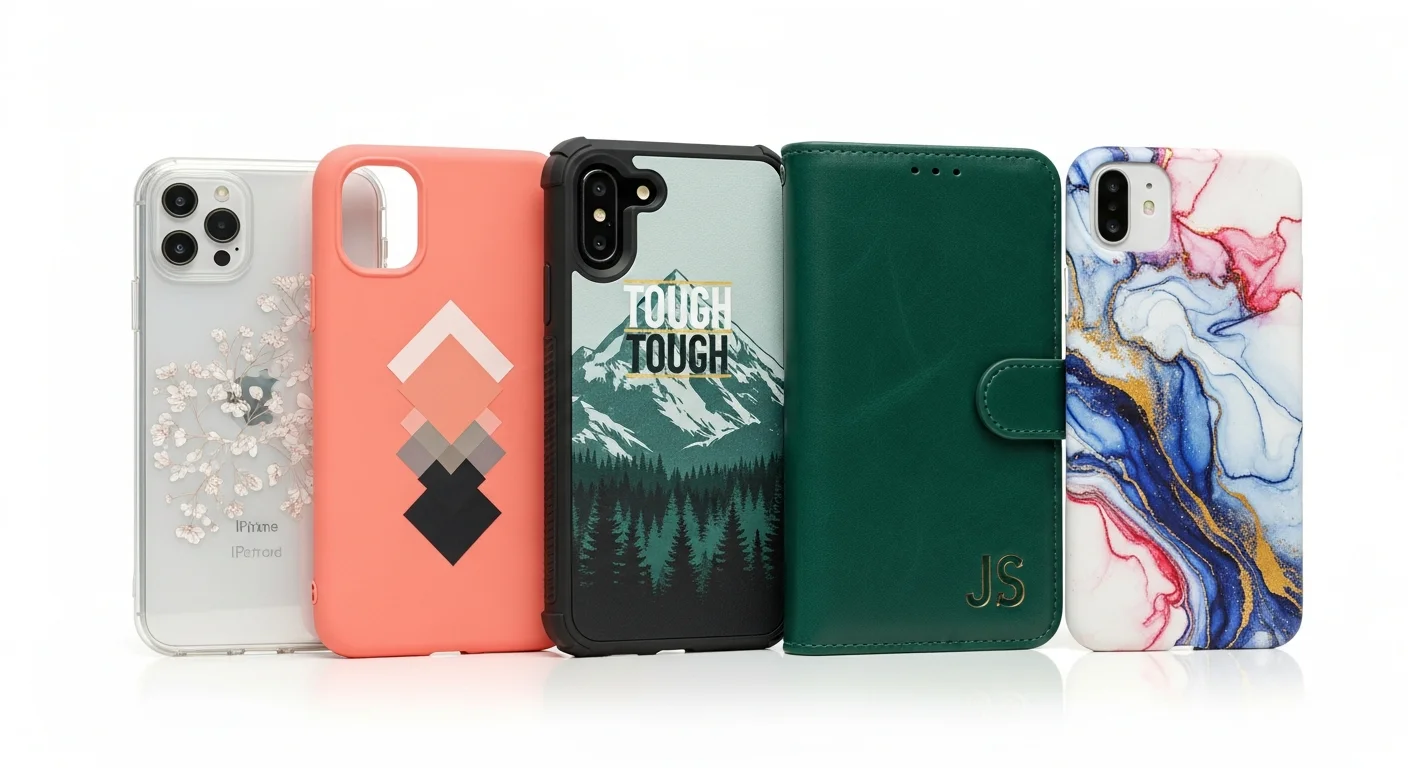
Before diving into the design process, it helps to understand the main phone case styles available for customization. Each style offers a different balance of protection, aesthetics, weight, and printable surface area. Choosing the right style is the first step toward a satisfying result.
A slim or snap-on case is the most popular style for custom printing. These lightweight shells, typically 1 to 2 millimeters thick, add minimal bulk while providing basic scratch and scuff protection. The flat, rigid back panel offers an ideal printing surface for UV and sublimation methods, producing sharp, vibrant results. When comparing a slim phone case vs rugged alternatives, the slim option wins on aesthetics and pocket-friendliness but sacrifices drop protection.
A tough or rugged case features dual-layer construction — a rigid polycarbonate outer shell bonded to a flexible TPU inner liner. This combination absorbs and disperses impact energy across two materials, providing significantly higher drop protection, often rated to MIL-STD-810G standards. Tough cases are thicker and heavier than slim cases, but they protect the phone from drops of four to six feet onto hard surfaces. Custom printing typically goes on the polycarbonate outer shell, delivering the same image quality as a slim case with superior protection underneath.

A clear case is made from transparent polycarbonate or TPU, allowing the phone's original color and design to show through. Custom printing on a clear case typically uses UV ink with a white base layer for opaque elements, while leaving selected areas transparent. This produces a distinctive floating-graphic effect where the design appears to hover over the phone's back panel. Clear cases are particularly popular for showcasing minimalist logos, monograms, and line art.
A wallet or folio case wraps around the entire phone like a book, with a front flap that covers the screen and includes card slots or a cash pocket. While wallet cases offer the most comprehensive protection and utility, the folding design limits the printable area to the front and back exterior panels. Custom designs on wallet cases work best with full-wrap phone case design approaches that account for the spine, front flap, and rear panel as a continuous canvas.
A bumper case protects only the edges and corners of the phone, leaving the back panel exposed. Bumper cases are less common for custom printing because the printable surface is limited to the narrow side rails. However, they pair well with custom skin decals applied directly to the phone's back, creating a hybrid customization approach. For more details on materials used in these styles, read the TPU vs polycarbonate vs silicone phone case materials comparison. If you are interested in functional accessories like MagSafe compatibility or integrated kickstands, the MagSafe and functional features guide covers those options in depth.
How Custom Phone Case Printing Works
Three main printing technologies dominate the custom phone case industry, each with distinct strengths, limitations, and ideal use cases. Understanding how each method works helps you choose the right option for your design and budget.
UV printing is the most versatile and widely used method for custom phone cases. A flatbed UV printer jets specialized UV-curable ink directly onto the case surface, where it is instantly cured (hardened) by an ultraviolet LED light array. This direct-to-substrate approach means the ink bonds to virtually any case material — TPU, polycarbonate, silicone, or hybrid composites — without special coatings or pretreatments. UV printed phone case production takes just 30 to 90 seconds per unit, making it the fastest method available. The technology supports unlimited colors, photorealistic imagery, white ink for printing on dark or clear surfaces, and even raised 3D texture effects through multi-pass layering.
Sublimation printing uses heat to convert specialized dye inks from a solid to a gas, which then permanently infuses into a polymer-coated phone case blank. The process requires a sublimation phone case blank with a white polyester or polymer coating, which limits this method to light-colored cases. However, the results are exceptional: because the ink becomes part of the case surface rather than sitting on top of it, sublimation prints are extremely durable, resistant to scratching and peeling, and produce vivid, continuous-tone images with no visible dot pattern. Edge-to-edge printing full-wrap coverage is a signature advantage of sublimation on specially designed blanks.

DTF (direct-to-film) printing first prints the design onto a transparent PET transfer film using CMYK plus white ink, then applies a hot-melt adhesive powder to the printed surface. The prepared transfer is then heat-pressed onto the phone case at 300 to 330 degrees Fahrenheit. DTF phone case printing works on most case materials without special coatings, produces vibrant colors on both light and dark surfaces, and offers good flexibility — the transfer film stretches and conforms to slightly curved surfaces. For a deep-dive comparison of all three methods, including durability tests and cost breakdowns, read the UV printing vs sublimation vs DTF phone cases guide.
Designing Your First Custom Phone Case Step by Step
The custom phone case design process can be broken down into five clear steps that take most people 10 to 15 minutes to complete when using an online design tool.
Step 1: Select your phone model. Every phone model has unique dimensions, camera cutout positions, button placements, and speaker locations. The design template must match your exact device to ensure the artwork aligns with the case's physical features. Most design tools maintain a database of hundreds of models across iPhone, Samsung Galaxy, Google Pixel, and other manufacturers, updated within weeks of new releases.
Step 2: Choose your case style. Based on the style overview above, decide whether you want a slim, tough, clear, wallet, or bumper case. Each style has a different printable area, and your design may need to adapt accordingly. A full-wrap design works beautifully on a slim or tough case but requires a different layout approach on a wallet folio.
Step 3: Use the free design tool. Upload your artwork (photo, logo, or illustration), position it on the case template, and adjust the scale, rotation, and placement. The design tool provides alignment guides showing safe zones around the camera cutout, button openings, and case edges. Camera cutout alignment is critical — artwork that extends too close to the lens opening will be obscured or cut off during production.

Step 4: Preview the phone case mockup. Before ordering, review a 3D phone case mockup preview that shows how your design wraps around the case. Rotate the preview to check alignment on the sides, bottom edge, and near the camera module. This step catches potential issues like text running off the visible surface or images becoming distorted near curved edges.
Step 5: Place your order. Confirm the case style, phone model, design, and quantity. With no minimum order phone cases available, you can order a single unit to test before committing to a larger run. Most providers offer standard production times of three to five business days plus shipping.
Photo Phone Cases — Getting the Perfect Print
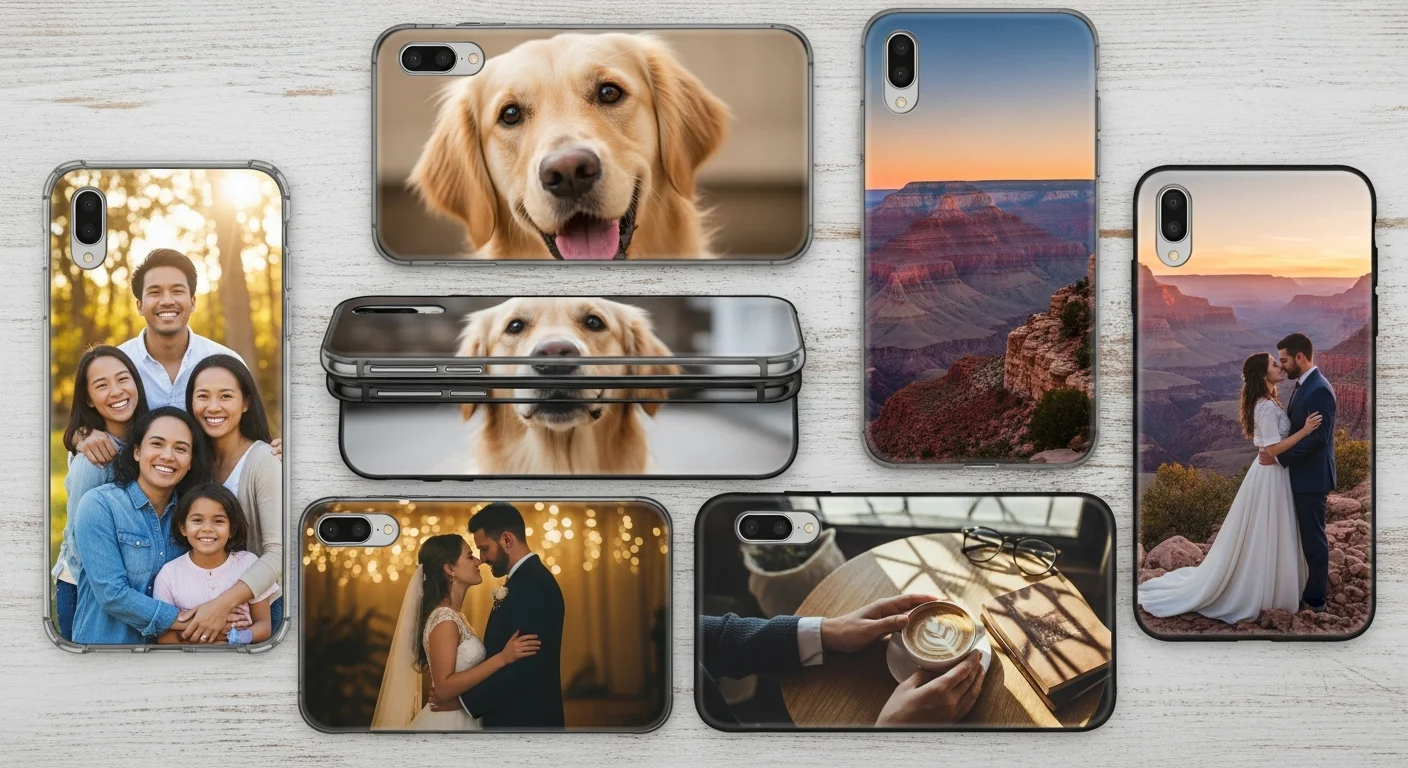
Photo phone cases are among the most popular custom phone case categories, accounting for an estimated 35 to 40 percent of all personalized case orders. The key to a stunning photo case is starting with a high-quality image. Aim for a minimum resolution of 300 DPI at the final print size — for a typical phone case measuring approximately 2.8 by 5.6 inches, that translates to an image at least 840 by 1,680 pixels, though larger is always better.
Pay special attention to the safe zone around the camera cutout and case edges. Most design templates include a bleed area of 2 to 3 millimeters beyond the visible edge, and a safety margin of 3 to 5 millimeters inside each edge where important elements like faces or text should not be placed. Positioning a subject's eyes or critical text directly behind where the camera cutout will be punched is the most common photo case mistake.
Color mode matters, too. UV printing reproduces RGB colors directly, while sublimation may convert to CMYK during production, slightly shifting saturated blues and reds. For a comprehensive tutorial on optimizing photos for phone case printing, including editing tips, layout options, and resolution requirements, read the custom photo phone cases tips for perfect prints guide.
Text and Typography on Phone Cases
Adding text to a phone case presents unique challenges because the printable surface is relatively small — roughly 15 to 20 square inches on a standard smartphone case. Font selection, sizing, and color contrast all significantly impact readability and visual appeal on this compact canvas.
For body text or longer phrases, sans-serif fonts like Helvetica, Montserrat, or Open Sans at a minimum of 8-point equivalent size (approximately 3 millimeters in cap height) maintain readability when printed. Serif fonts add elegance but require a larger minimum size — at least 10-point equivalent — to keep the fine serifs from bleeding or becoming indistinct at printing resolution.
Color contrast between the text and the case background is critical. White text on a dark case or dark text on a light case delivers the strongest legibility. Avoid placing text over complex photo backgrounds without adding a semi-transparent backing strip or shadow effect to separate the lettering from the imagery. For a deep dive into font pairing, color palettes, and layout strategies specifically optimized for phone case surfaces, explore the best fonts, colors, and layouts for phone case design guide.
Design File Formats and Specifications
Submitting the right file format in the correct specifications prevents production delays and ensures your design prints exactly as intended. Understanding file requirements is an essential part of the custom phone case design process.
PNG is the most universally accepted format for phone case designs. It supports millions of colors, transparency (useful for clear case designs), and lossless compression that preserves image quality. For photographic designs and complex graphics, export as PNG at 300 DPI minimum with RGB color mode.
SVG is the ideal format for logos, monograms, and vector illustrations. As a scalable vector graphic, an SVG file can be resized to any dimension without losing sharpness. This makes it perfect for designs that need to span the full case surface or be precisely positioned around camera cutouts.

PDF serves as a print-ready container format that can hold both vector and raster elements. When exporting a PDF for phone case printing, include a 3-millimeter bleed beyond the trim line and embed all fonts. Most professional design applications (Adobe Illustrator, Affinity Designer, Canva Pro) support PDF export with bleed settings.
Regardless of format, every design should meet these minimum specifications: 300 DPI at final print size, RGB color mode for UV printing or CMYK for sublimation, and proper bleed extending 2 to 3 millimeters beyond the visible edge. Most online design tools accept JPEG as well, but JPEG compression can introduce visible artifacts in areas of solid color or fine detail — PNG or SVG is always preferred for the highest quality results.
Common Beginner Mistakes to Avoid
First-time phone case designers frequently encounter the same set of avoidable errors. Learning from these common pitfalls saves time, money, and frustration.
Low-resolution images are the number one cause of disappointing results. An image that looks crisp on a phone screen may be only 72 DPI — four times lower than the 300 DPI minimum required for sharp printing. When a low-resolution image is enlarged to fill a phone case template, the individual pixels become visible as a blurry, blocky pattern. Always check the pixel dimensions of your source image before uploading, and use the highest resolution version available.
Not accounting for camera cutouts and buttons is the second most frequent mistake. Every phone model has a unique camera module position, volume rocker placement, charging port location, and speaker grille arrangement. Artwork that looks perfectly centered on the template but places a face directly behind the camera opening will be ruined by the cutout. Always use the design tool's safe zone guides and preview the mockup from multiple angles.

Ignoring case curvature affects full-wrap designs. Phone cases have rounded edges and corners, and artwork that looks straight on a flat template may appear slightly distorted when wrapped around the case's 3D shape. Critical horizontal lines, text baselines, and geometric patterns need extra attention near the edges. Previewing the 3D mockup catches these issues before production.
Text placed too close to edges creates another common problem. Even with proper bleed, text or important design elements positioned within 3 millimeters of the case edge risk being partially cut off during trimming or wrapping. Maintain a minimum safety margin of 5 millimeters for all critical content.
Not ordering a sample before a large run means discovering issues only after committing to a full batch. The difference between a matte finish vs glossy phone case, for example, can significantly change how colors appear — matte finishes mute vibrancy slightly while adding a soft, professional texture, while glossy finishes amplify color saturation but show fingerprints more readily. A single sample unit costs a few dollars and prevents expensive batch reprints.
Ordering Your Custom Phone Cases
Once your design is finalized and you have previewed the mockup, the ordering process is straightforward. Most reputable custom phone case providers follow a similar workflow.
First, confirm the order details: phone model, case style, printing method (if selectable), quantity, and shipping address. Providers that offer no minimum order phone cases allow you to order as few as one unit, which is ideal for personal projects, gifts, or sample testing. For larger orders such as corporate giveaways, team cases, or retail inventory, volume discount tiers typically begin at 10 to 25 units and increase savings at 50, 100, and 500-unit thresholds.
Second, review the design proof. Many providers generate a digital proof showing the final artwork positioned on the case template with crop marks and bleed indicators. Approve the proof carefully — this is the last opportunity to catch alignment issues, typos, or color concerns before production begins.
Third, understand the production timeline. Standard production for custom phone cases ranges from three to seven business days depending on the printing method, order complexity, and current queue volume. Rush options reducing production to one to two business days are often available for an additional fee. Shipping adds another two to five business days for domestic delivery or seven to fourteen for international orders.
For detailed guidance on managing large orders, handling roster-based customization (different names or designs per case), and navigating volume pricing, read the bulk custom phone case ordering checklist. For a transparent breakdown of costs including case blanks, printing, and shipping, see the custom phone case pricing guide.
Care and Maintenance Tips
Proper care extends the life of your custom-printed phone case and keeps the design looking vibrant for months. Different printing methods and materials require slightly different maintenance approaches, but a few universal best practices apply to all custom cases.
Clean your case regularly using a soft, damp microfiber cloth. For stubborn dirt or grime, add a drop of mild dish soap to the cloth and wipe gently. Avoid abrasive cleaners, alcohol-based solutions, or rough scrub pads, as these can degrade the printed surface over time. UV-printed cases are the most resistant to cleaning products, while DTF transfers may be sensitive to prolonged exposure to solvents.
Remove the case from your phone at least once a month to clean the interior surfaces. Dust, lint, and moisture trapped between the case and the phone can cause micro-scratches on the phone's back panel and create a breeding ground for bacteria. A quick wipe of both the case interior and the phone's back with a dry microfiber cloth prevents buildup.
Avoid prolonged exposure to direct sunlight for sublimation-printed cases. While sublimation ink is infused into the case material and highly durable, extended UV exposure over weeks can gradually fade colors. This is less of a concern for UV-printed cases, which use UV-resistant inks designed to withstand outdoor conditions. If you frequently leave your phone on a car dashboard or windowsill in direct sun, consider a UV-printed case or apply a clear matte finish over a sublimation print for added UV protection.
Finally, inspect your case periodically for cracks, chips, or separation at the seams. A compromised case loses its protective capability regardless of how good the design still looks. Phone case materials naturally degrade over time — TPU cases may stretch, polycarbonate cases can develop stress cracks, and silicone cases may tear at button cutouts. Replacing a worn case proactively protects both your phone and your investment in the custom design.
Start Designing Your Custom Phone Case Today
Creating a custom phone case has never been more accessible, affordable, or enjoyable. Whether you are designing a one-of-a-kind personal accessory, crafting a memorable gift, or producing branded cases for a business or event, the process follows the same simple path: choose your device and case style, upload or create your artwork, preview the mockup, and order with confidence.
RareCustom's free online design tool provides device-specific templates for hundreds of phone models, intuitive drag-and-drop artwork placement, and real-time 3D previews that show exactly how your finished case will look — including edge-to-edge printing alignment and camera cutout positioning. With no minimum order quantities, you can order a single case for yourself or scale up to hundreds for a corporate event, all at competitive per-unit pricing.
Ready to bring your idea to life? Try the free phone case design tool and create your first custom case in minutes. Or browse all custom phone case options to explore available styles, materials, and printing methods before you start designing.
Related Articles
- UV Printing vs Sublimation vs DTF for Custom Phone Cases — Compare printing methods for durability, color quality, and cost.
- TPU vs Polycarbonate vs Silicone Phone Case Materials — Choose the right material for protection, grip, and print quality.
- Best Fonts, Colors, and Layouts for Phone Case Design — Deep-dive into typography and visual design for compact surfaces.
- Custom Photo Phone Cases: Tips for Perfect Prints — Master photo selection, resolution, and cropping for flawless results.
- Custom Phone Case Pricing Guide — Understand cost factors, volume discounts, and budget planning.
Share this article
Written by
Jordan Reeves
Brand Experience Strategist at RareCustom. BFA in Graphic Design from Parsons School of Design with 8+ years helping brands craft visual identities. Specialist in color theory, layout composition, and design systems.